macOS / Bash
curl -fsSL https://kody-w.github.io/rapp-installer/install.sh | bashThen continue with step 2 on this Mac. Inspect the installer
A local-first agent engine, now with an always-on runtime for macOS
Your instructions. Your tools. Your machine. Brainstem Agent, the new experimental runtime for macOS, runs the unchanged Brainstem core inside the macOS sandbox and adds memory, schedules, skills, long tasks, helpers, web and MCP.
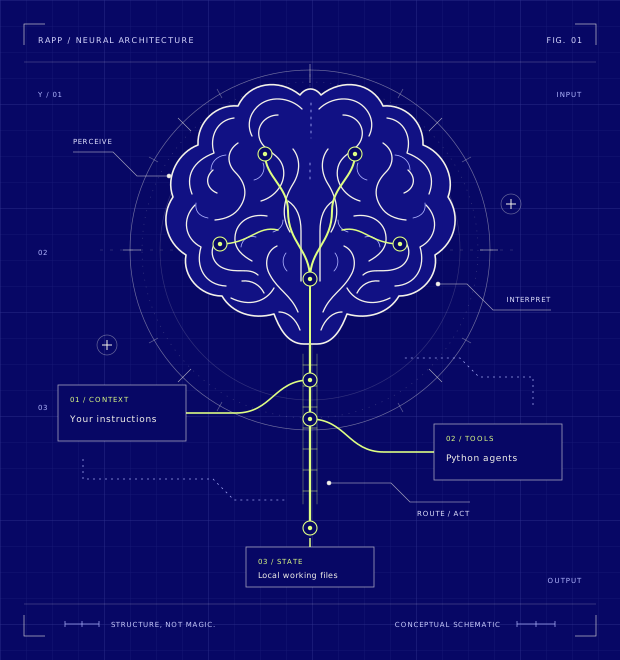
01 / CORE VS AGENT
What is the same. Brainstem Agent does not replace the core. Both run the same unchanged Brainstem core, the same GitHub Copilot sign-in (from your RAPP Brainstem) and the same model setting. Brainstem Agent runs that core inside sandboxed workers and adds everything around it.
| Aspect | The Brainstem core on its own | With Brainstem Agent |
|---|---|---|
| Who does the thinking | The core, through your Copilot sign-in | The same unchanged core and sign-in, run in sandboxed workers |
| Tools out of the box | As shipped (0.6.16): memory and Hacker News agents; you can add your own Python agents | Files, a sandboxed shell and scripts, background processes, web search and fetch, MCP servers, helpers, schedules and skills |
| Where tools run | Your agents run as you, with your full user permissions | In the macOS sandbox: no access to your home folder or your sign-in, writes only in the workspace, and the shell has no network |
| Long tasks | At most three tool rounds per request | Continues automatically past three rounds, within set limits, with progress and Ctrl-C to cancel |
| Always on | Runs while its local server runs; you chat in the browser at localhost:7071 | A daemon with a warm worker, durable schedules and an inbox, and an optional login LaunchAgent |
| Memory | Remembers across conversations with its memory agent | Workspace and profile memory, search across past conversations, correction and forgetting |
| Proof of work | A text log of agent calls | A receipt for every tool call (succeeded, failed or uncertain); a request repeated with the same idempotency key replays without a new model call |
| Ways to use it | Browser chat and its local HTTP API | A terminal session, an owner-only local web companion, and every command in JSON for other agents |
| Keeping it running | Rerun the installer to update | Version manifest, backup, restore and export, upgrade and rollback, uninstall, readiness checks |
| Platforms | macOS, Linux and Windows | macOS only (qualified on Apple silicon) |
Measured 2026-09-24 on one Mac with Apple silicon
How it was measured. Same core, interpreter, Copilot sign-in and model setting on both sides; the core ran as shipped with its own agents; every result was checked on disk and in receipts, not taken from the answer.
| Task | Core alone | With Brainstem Agent | Detail |
|---|---|---|---|
| Create a file with given content | Not done: no file tool (it said so) | Done | 2.0 s, one model call |
| Six-step read-and-write chain | Not done: no file tool, and at most three tool rounds | Done | 11 tool calls over 4 continued segments, 17.7 s |
| Search the web and cite the page | Not done: no web tool (it said so) | Done | search then fetch, cited the source page, 5.3 s |
| Remember a fact, recall it in a new conversation | Done | Done | both answered “Teal.” |
| Total | 1 of 4 | 4 of 4 | Neither side claimed an action it did not perform. |
| Measure | Core alone | With Brainstem Agent |
|---|---|---|
| A warm, trivial turn (median of 10) | 0.66 s | 0.81 s (+0.15 s: 0.08 s to start the command-line tool, 0.06 s for state, grant and receipts, 0.02 s for the longer prompt) |
| Memory in use | 56 MB (one process) | 111 MB (daemon plus sandboxed worker) |
| Start to ready | 0.6 s | 1.5 s (a verified warm worker) |
| One command without the daemon | not applicable | about 2.0 s (starts and verifies its own sandboxed worker) |
Read with care. Small sample on one machine; Copilot latency varies. You can add your own Python agents to the core, but they run with your full permissions and stay within three tool rounds per request.
The same comparison is published as machine-readable JSON. The core stays step 1: install it first.
02 / INSTALL
Check the requirements first. Then two steps: install RAPP Brainstem, the core, and add Brainstem Agent, the always-on runtime, on your Mac. Each step says how you know it worked.
Before any command
/usr/bin/sandbox-exec, which is built into macOS. On Linux or Windows, step 1 works; stop there.python3.11; Python 3.13 is verified too.Step 1 · macOS, Linux or Windows
This is the existing core installer, unchanged. Pick your system, review the installer if you like, and run the command.
brainstem.http://localhost:7071 and complete the GitHub sign-in.Done when the GitHub sign-in at http://localhost:7071 is complete. Keep RAPP Brainstem installed: step 2 reuses its sign-in, read-only.
curl -fsSL https://kody-w.github.io/rapp-installer/install.sh | bashThen continue with step 2 on this Mac. Inspect the installer
curl -fsSL https://kody-w.github.io/rapp-installer/install.sh | bashStep 2 needs macOS. On Linux, RAPP Brainstem itself is what you get for now. Inspect the installer
irm https://raw.githubusercontent.com/kody-w/rapp-installer/main/install.ps1 | iexRun it in PowerShell. Step 2 needs macOS; on Windows, RAPP Brainstem itself is what you get for now. Inspect the installer
Existing core installer · Unchanged URLs · Core setup guide
Step 2 · macOS only · Experimental 0.2.0
Run these in Terminal on your Mac, from the folder where you want the clone. The first four lines clone this repository and install the brainstem-agent command in .venv, a virtual environment inside the clone.
setup downloads and verifies the pinned core, checking every file against its recorded hash, and builds its private environment. doctor --deep proves the sandbox, worker and sign-in are ready.
Every command accepts --json: it was built so another AI agent can drive it.
Done when doctor --deep reports that Brainstem Agent is ready. If it lists a problem, see If something fails.
macOS / Terminal · install and verify
git clone https://github.com/kody-w/brainstem-agent.git
cd brainstem-agent
python3.11 -m venv .venv
.venv/bin/pip install ./runtime
.venv/bin/brainstem-agent setup
.venv/bin/brainstem-agent doctor --deep
Then · first run
Still in the brainstem-agent folder:
chat gives it one task, answered through your Copilot sign-in. This one writes notes/hello.txt in the agent's workspace, by default inside ~/.brainstem-agent.serve --detach starts the always-on daemon. It keeps a warm worker and runs your schedules until you stop it; work pauses while the Mac sleeps.status shows the daemon's health, its worker and your schedules. Right after serve --detach the worker may still be starting; a few seconds later it is warm.service install adds a login LaunchAgent, so the daemon starts when you log in.macOS / Terminal · first run
.venv/bin/brainstem-agent chat "Create notes/hello.txt containing hi"
.venv/bin/brainstem-agent serve --detach
.venv/bin/brainstem-agent status
Then · every day
Still in the brainstem-agent folder, with the daemon from serve --detach running:
open prints a one-time sign-in link for the web companion, which the daemon serves to this Mac only, on 127.0.0.1. Open the link in your browser yourself; nothing opens a browser for you. Each link works once, in one tab.backup --output backups writes a verified snapshot into backups, a new folder here, even while the daemon runs; the folder must be new or empty. Backups are local and unencrypted, and leave out workspace files.version reports the version and the pinned core.brainstem-agent on its own, opens the interactive terminal session: answers stream as they are written. Type /help for the slash commands; Ctrl-C cancels the running turn and keeps the session; Ctrl-D leaves it. It comes last, so you can paste the whole block: the other three lines run first.For restore, export, upgrade and rollback, see Operating the cell in the runtime documentation.
macOS / Terminal · every day
.venv/bin/brainstem-agent open
.venv/bin/brainstem-agent backup --output backups
.venv/bin/brainstem-agent version
.venv/bin/brainstem-agent
What it checks
doctor --deep.doctor runs the first five checks. --deep adds a real probe. If a check fails, doctor says which one and why.
/usr/bin/sandbox-exec works.Common failures
doctor reports a credential problem: no Copilot credential. Finish step 1: run brainstem, open http://localhost:7071 and complete the GitHub sign-in with an account that has Copilot access. Then run doctor --deep again.python3.11 is not found, or pip refuses the package because it needs a newer Python. Install Python 3.11 or newer. If .venv was made with an older Python, delete the .venv folder and create it again with Python 3.11 or newer (python3.13 works in place of python3.11), then repeat the pip install and setup lines.doctor reports a sandbox problem. The runtime needs /usr/bin/sandbox-exec, built into macOS, and will not run without it. Run the commands directly on the Mac, in Terminal, rather than from inside another sandboxed app or tool, then run doctor --deep again.doctor --deep needs the agent to itself. Run .venv/bin/brainstem-agent stop, run doctor --deep, then start the daemon again with serve --detach.When you are done
From the brainstem-agent folder, stop ends the daemon and confirms its workers are gone. service uninstall removes the login LaunchAgent if you added one with service install.
To remove it completely, delete the brainstem-agent folder you cloned, including its .venv and any backups folder you wrote there (move a backup out first to keep it), and the runtime's home, ~/.brainstem-agent. The home holds everything the agent saved: the files in its default workspace, state, memory, skills, schedules, conversations and its verified copy of the core. Your RAPP Brainstem in ~/.brainstem is not touched.
macOS / Terminal · stop
.venv/bin/brainstem-agent stop
.venv/bin/brainstem-agent service uninstall03 / WHAT WORKS TODAY
Every card carries its status in Brainstem Agent 0.2.0 and its main limit. The same statuses are published as machine-readable JSON.
setup downloads and verifies the pinned core and builds a private environment; doctor --deep proves readiness.
Limit This Mac only; no cloud or remote deployment yet.
serve --detach runs an always-on daemon with a warm worker; service install adds a login LaunchAgent.
Limit Work pauses while the Mac sleeps; no remote host yet.
Ask in plain language or use schedules: one-time, interval and cron, time zones and DST, missed-run and overlap rules, pause, resume, edit, run-now and remove, with results in an inbox.
Limit Runs only while the daemon is running.
See the recordingMessaging apps and email are not connected yet; today you use the terminal or the web companion on this Mac, and tools connect through MCP.
Limit No messaging channels.
Workspace and profile memory with correction and forgetting, search across past conversations, and AGENTS.md context files.
Limit Local to this Mac; retrieval is keyword ranking (BM25), not semantic embeddings.
Every core worker, shell command, script and local MCP server runs under the macOS sandbox (Seatbelt) with private per-worker files; tool processes cannot read your home folder or your sign-in and write only inside the workspace; the shell has no network.
Limit macOS sandbox only; not a VM or container.
Saves how it solved a task as a versioned skill (unreviewed until you approve), offers it in later turns, and lets you review, approve, edit, disable and export it.
Limit Skills are data offered to the model, never executed and never granting permissions; review is manual.
Continues automatically past the core's three-tool-round limit and streams progress; Ctrl-C cancels and stops the worker.
Limit Bounded per turn (segments, tool calls, time).
See the recordingRuns up to three helper workers in parallel, each a fresh sandboxed core worker with narrower permissions.
Limit One level of helpers; bounded count.
See the recordingFiles, a sandboxed shell, sandboxed Python scripts that call tools, and background processes (start, poll, log, stop).
Limit Inside the workspace; the shell has no network.
Fetches pages and searches (Wikipedia by default) with citations; private and cloud-metadata addresses are refused; an owner egress policy and log; web content can never make it remember or forget.
Limit The search provider is Wikipedia unless configured.
Connects MCP servers (stdio and streamable HTTP) from a JSON config; tools appear as mcp__server__tool; each local server gets its own sandbox profile and permission.
Limit You add and trust servers yourself.
Every tool call gets a receipt (succeeded, failed or uncertain); repeated requests replay without a new model call; interrupted work is recovered or marked uncertain; backup writes a verified snapshot while the daemon runs and restore checks every digest before writing; export writes skills, memory, profile and sessions in portable formats; upgrade installs a local release side by side and switches back by itself if it does not come up, and rollback returns to the previous version; a rejected sign-in is an explicit state (turns refused, no retries), and signing in again is picked up without a restart.
Limit Backups are local, unencrypted and started by you, and leave out workspace files; upgrades only from a local checkout, zipapp or wheel (nothing is downloaded); a revoked sign-in can keep working until the core's cached Copilot token expires (about 25 minutes).
brainstem-agent on its own opens an interactive terminal session (streamed answers, slash commands, Ctrl-C cancels the turn and keeps the session); open prints a one-time link to an owner-only web companion served on 127.0.0.1 (chat, sessions, schedules and inbox, skill review, memory and profile, MCP and the outbound request log).
Limit This Mac only; each sign-in link works once, in one tab; the terminal is a line session, not a full-screen interface.
See the commandsNo browser automation, image understanding or generation, transcription or speech yet.
04 / RECORDED RUNS
Three runs of the experimental runtime, recorded on 2026-09-23 through real GitHub Copilot inference with the pinned core on macOS (Apple silicon). Prompts and answers are quoted verbatim; an ellipsis marks a trim.
Recorded run 2026-09-23 experimental runtime
The core allows three tool rounds per request. Brainstem Agent continued on its own until the task was done.
You
Create chain/1.txt containing 1. Then repeatedly read the latest file and write the next file containing the value plus one, up to chain/6.txt. Then report the final value.
Tool log, excerpt
…
[read_file] chain/5.txt (1 bytes):
5
[write_file] Wrote 1 bytes to chain/6.txt.
Answer, verbatim
**Final value: 6** The chain has been created successfully from chain/1.txt through chain/6.txt, with each file containing the value one greater than the previous file.
Recorded run 2026-09-23 experimental runtime
Each helper ran on its own fresh, sandboxed core worker, then the answer joined their results.
You
Delegate two independent sub-tasks to helpers in parallel: helper A writes par/a.txt containing alpha, helper B writes par/b.txt containing beta. Then tell me both file contents.
Tool log, excerpt
[delegate_tasks] 2 of 2 helpers succeeded (in parallel, …).

Helper 1 (Helper A): succeeded
Done. I've created the file `par/a.txt` with the content `alpha` (no trailing newline).

Helper 2 (Helper B): succeeded
Done. I've written the file `par/b.txt` with the content 'beta' (no trailing newline).
…
Answer, verbatim
Done! Here are the file contents: - **par/a.txt**: `alpha` - **par/b.txt**: `beta` Both files were created in parallel by the helpers as requested.
Recorded run 2026-09-23 experimental runtime
The first call asked for something a schedule may not hold and was refused. The retry created a one-time schedule holding only the shell capability.
You
In 1 minute, write the current time into notes/time.txt.
Tool log, excerpt
[schedule_create] A schedule may only hold capabilities from ['files.read', 'files.write', 'memory.read', 'memory.write', 'shell.run', 'schedule.read', 'schedule.write']; refused: ['run_command'].
[schedule_create] Created schedule … with capabilities ['shell.run'].
Answer, verbatim
Done! I've scheduled a task to write the current time to notes/time.txt in 1 minute (at 2026-09-23T04:40:38).
05 / HONEST LIMITS
Brainstem Agent is experimental. Read this before you rely on it.
/usr/bin/sandbox-exec, which is built into macOS. On Linux and Windows the core installer works; the agent runtime does not yet.06 / HOW IT WORKS
Brainstem Agent runs the unchanged Brainstem Grail core, the stable core edition, inside private sandboxed workers, and adds everything around it: sandbox, memory, schedules, tools, helpers, web and MCP. Grail is never modified or redistributed. Setup downloads the pinned public source and checks every file's hash before use.
49db80c8c6b6caa7647369beaf477d374a8f293cbd55a7f0bcf5efd3f7966ca39bb146da3c25fda9a0b1ce5ba587919d3c3775f407 / QUESTIONS
RAPP Brainstem is the product and its core engine, which step 1 installs, with a local server and a browser chat. Brainstem Agent is the experimental always-on runtime in this repository, run with the brainstem-agent command. It runs the Brainstem Grail core unchanged inside the macOS sandbox and adds memory, schedules, skills, long tasks, helpers, tools, web and MCP.
Yes. The core is step 1: Brainstem Agent runs the same unchanged Brainstem core and uses the GitHub Copilot sign-in of your installed RAPP Brainstem. On Linux and Windows, the core on its own remains the choice, because Brainstem Agent is macOS only. See how the two differ.
Brainstem Agent runs its own pinned, verified copy of the core, but it signs in through your installed RAPP Brainstem: it reuses that GitHub Copilot sign-in, read-only. That is why there is no separate API key.
A GitHub account with Copilot access, signed in through RAPP Brainstem. Model choice is that GitHub Copilot connection only, by design.
Prompts, conversation context and tool results used for inference go to the remote model through your Copilot sign-in, including file contents a tool has read. Web tools contact the sites you ask about. The agent's state, memory and schedules are stored on the Mac, by default in ~/.brainstem-agent.
The RAPP Brainstem core installer supports them. The agent runtime does not yet: it is macOS only, qualified on Apple silicon, because it depends on the macOS sandbox.
Work pauses. Schedules run only while the daemon is running; their missed-run and overlap rules decide what happens to runs that came due in the meantime. It is not a hosted service, and there is no remote host yet.
Yes. Every command accepts --json; it was built so another AI agent can drive it from a terminal. The capability statuses on this page are also published as JSON.
Read the runtime documentation and report agent runtime problems in the Brainstem Agent issues. For the core installer and sign-in, use the core setup guide and the core issues. To stop or remove the agent runtime, see Stop and remove it.
YOUR MACHINE. YOUR DIRECTION.
Start with the core. Add the agent runtime on your Mac.